

How do I install the UPark App to my device?
To use the UPark App, first install it on your Apple or Android device.
Installing the app on your phone is easy and will allow you to access all of its features.
Follow these instructions to install the App:
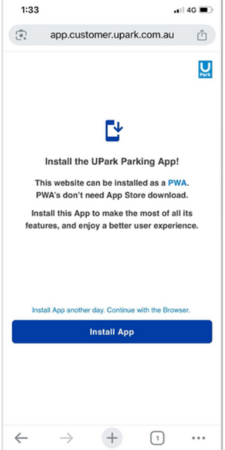
Step 1
Visit the UPark App installation page and select ‘Install App’.
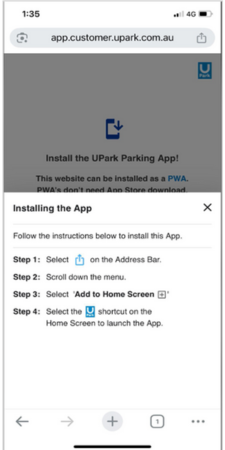
Step 2
Follow the prompts to install the app to your home screen.
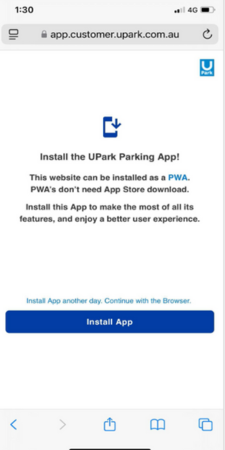
Step 1
Visit the UPark App installation page and select ‘Install App’.
Step 2
Follow the prompts to install the app to your home screen.


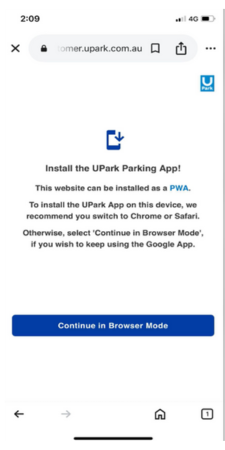
Step 1
Visit the UPark App installation page and select ‘Install App’.
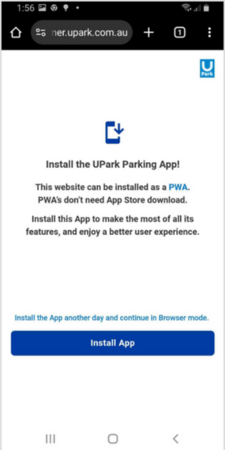
Step 2
Click 'Install'.

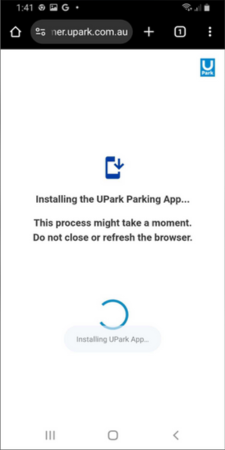
Step 3
Wait for app to install.
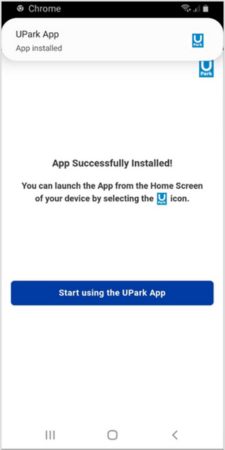
Step 4
Start using the app.
How can we help today?
Ask a question.